
Xbox Won't Turn On: Checks to Run Before a Repair

By Ruslan Hryhorenko, repair technician at RepairHub
Updated
You press the Xbox button and nothing happens. No light, no sound, no fan. Or the console starts for a second and shuts off again. Before you start pricing a new console, go through these checks. A fair number of Xbox consoles that “won’t turn on” are a power strip, a cord or a console that is stuck in a bad power state.
The steps work for the Xbox Series X, the Xbox Series S and the Xbox One family.
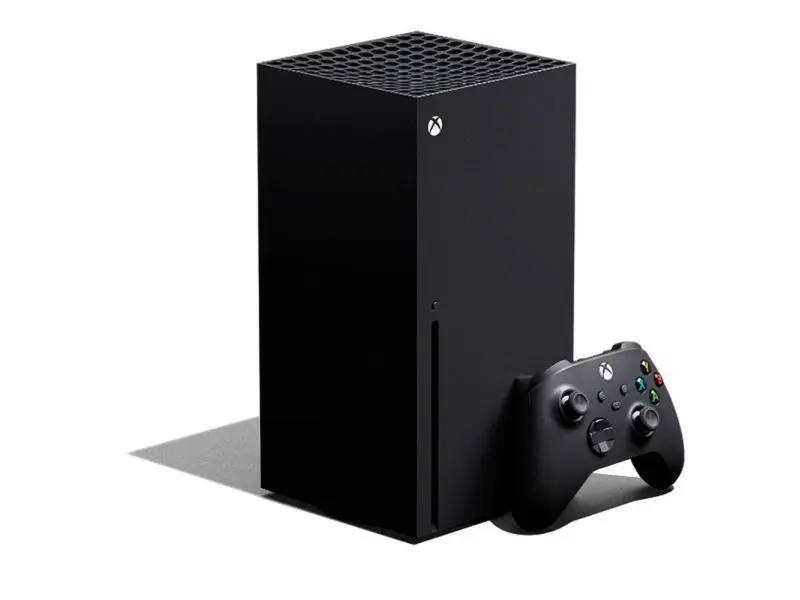
In this guide 7 sections
Start with the outlet and the cord
- Plug the Xbox straight into a wall outlet. Power strips and surge protectors wear out, and some trip without any sign. Test the outlet with a lamp or phone charger.
- Check the power cord at both ends. Push it firmly into the back of the console. The plug on the Series X and Series S is easy to leave half seated.
- Try another cord. The Series X, Series S, One S and One X use a standard two prong cord, the same kind many TVs and audio gear use. If you have one, swap it in.
- Original Xbox One only: that model has an external power brick with a light. A white or orange light means the brick is fine. No light, or a flashing light, means the brick has failed and needs replacing.
Use the button on the console, not the controller
If the controller batteries are dead or it lost its pairing, pressing its Xbox button does nothing. Press the power button on the front of the console instead.
Rather have us fix it?
Free diagnostic, walk-ins welcome at 6201 Greenback Ln Suite A, Citrus Heights.
Do a full power cycle
A full power cycle clears a stuck power state, and it fixes a surprising number of these cases.
- If the console is on at all, hold the power button on the front for about 10 seconds until it shuts down.
- Unplug the power cord from the console.
- Wait at least 10 seconds. Waiting a minute does not hurt.
- Plug it back in and press the power button on the console.
If it turns on and shuts off right away
When an Xbox starts and then shuts down after a few seconds or minutes, heat is a common cause.
- Make sure it has open space on all sides, especially the top vent on the Series X and the side and back vents on other models. Do not run it inside a closed cabinet or on carpet.
- Look into the vents with a flashlight. Dust, pet hair and lint build up on the fan and the heat sink over time.
- Let it cool for an hour and try again in an open spot.
If it runs fine when cool and shuts off once it warms up, it needs a cleaning and a check of the fan and thermal paste. That is a job for a technician, because the console has to be fully taken apart.
If it turns on but there is no picture
If the light comes on and you hear the startup sound, but the TV shows nothing, the console is running. That is a video problem, not a power problem. Check the HDMI cable and the TV input first. If those are fine, the HDMI port on the console may be damaged. Our Xbox HDMI port page explains the signs, and our guide on PS5 no signal has more TV side checks that apply to the Xbox too.
Signs it is a hardware fault
Try a different outlet, a different cord and a full power cycle first. If it still will not start, these point to a fault inside:
- It died during a storm or a power outage. Surges can damage the internal power supply or parts on the board.
- There was a pop, a burning smell or a click before it stopped working. Unplug it and leave it unplugged.
- It got wet, for example from a spilled drink on top of the console.
- It turns on only sometimes, or only after it has been unplugged for a long time.
- The fan spins but nothing else happens.
The Series X, Series S, One S and One X have the power supply built in. When it fails, the console looks completely dead. A failed power supply can be replaced as a part. When the fault is on the main board, such as a shorted component, it needs board level repair.
Do not open the console to look. The power supply holds high voltage parts that can stay charged after unplugging, and the internal connectors break easily.
Xbox repair in Citrus Heights
RepairHub at 6201 Greenback Ln Suite A in Citrus Heights repairs Xbox consoles that will not turn on. The diagnostic is free and walk-ins are welcome. Bring the console and its power cord, and tell us what happened right before it stopped working.
Read more on our Xbox not turning on page and the main Xbox repair page. For an estimate, open the repair calculator with Xbox not turning on selected.