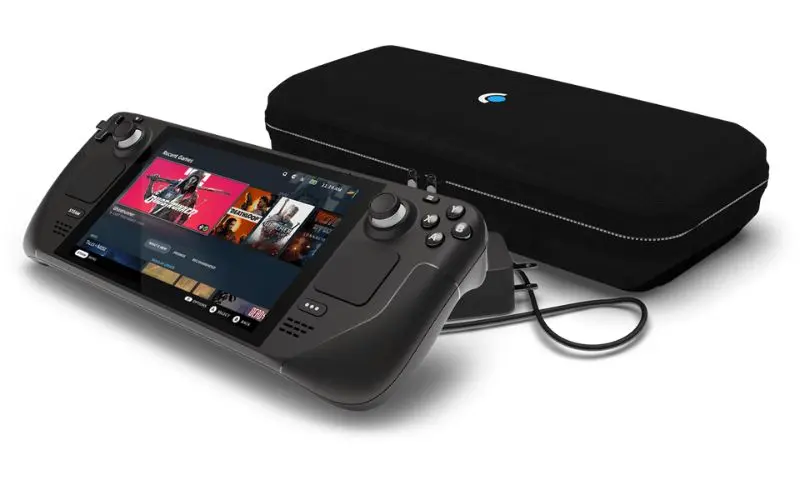
Steam Deck Screen Repair in Sacramento
Steam Deck Screen Repair near me
We understand when your Steam Deck needs repair, it can throw you into a frenzy. From your contacts and appointments to your documents and playlists, your device is a crucial part of your life. Whether your Steam Deck needs a screen repair, battery replacement, or has been affected by water damage, we have the parts, skills, and experience to get the repair done quickly and for an affordable price.
We understand when your Steam Deck needs repair, it can throw you into a frenzy. From your contacts and appointments to your documents and playlists, your device is a crucial part of your life. Whether your Steam Deck needs a screen repair, battery replacement, or has been affected by water damage, we have the parts, skills, and experience to get the repair done quickly and for an affordable price.
90 Day Warranty of Steam Deck Screen Repair
Bring your Steam Deck in and we test the display, touch and the board behind it. The diagnostic is free, and we tell you what the repair involves before any work starts.
Fast Steam Deck Screen Repair
The Steam Deck screen is glued to the front of the console, so it has to be heated and lifted off with care to protect the cables and the frame.
- Free diagnostic before any repair
- Screen replaced on LCD and OLED models
- Walk-ins welcome at our Citrus Heights shop
Common Steam issues
Steam Deck screen repair in Sacramento
The Steam Deck is a big handheld with a big piece of glass on the front, and one drop can crack it. At RepairHub we repair Steam Deck screens, on both the LCD and the OLED model, at our shop in Citrus Heights.
Signs your Steam Deck screen needs repair
- The glass is cracked or shattered.
- Touch stopped working, or works only in some areas.
- The screen shows lines, flickers or stays black while the Deck makes sounds.
- There are bright spots or dark patches in the picture.
What you can try first
- Hold the power button for about 10 seconds to force a restart.
- Connect the Deck to a TV or monitor through USB-C. If you get a picture there, the board is likely fine.
- If the glass is cracked, cover it with tape so pieces do not come loose, and stop using touch on that area.
What the repair involves
- Free diagnostic: we test the display, touch and video output.
- Estimate: we explain what is damaged and what the repair involves before any work starts.
- Repair: we open the back, disconnect the battery, heat the front to soften the adhesive, lift off the old screen and fit a new one.
- Test: we check the picture, brightness and touch across the whole screen before you pick it up.
What to bring
Bring the Steam Deck and its charger. Tell us if it is the LCD or the OLED model, if you know.
Check your price
Pick your Steam Deck and the problem in our repair cost calculator, or call us and bring it in for a free diagnostic. See also our Steam Deck Repair page.
Check the price for my Steam Deck screen