
PlayStation Won't Turn On in Sacramento
PlayStation Won't Turn On near me
We understand when your Sony PlayStation needs repair, it can throw you into a frenzy. From your contacts and appointments to your documents and playlists, your device is a crucial part of your life. Whether your Sony PlayStation needs a screen repair, battery replacement, or has been affected by water damage, we have the parts, skills, and experience to get the repair done quickly and for an affordable price.
We understand when your Sony PlayStation needs repair, it can throw you into a frenzy. From your contacts and appointments to your documents and playlists, your device is a crucial part of your life. Whether your Sony PlayStation needs a screen repair, battery replacement, or has been affected by water damage, we have the parts, skills, and experience to get the repair done quickly and for an affordable price.
90 Day Warranty of PlayStation Won't Turn On
Bring your PS5 or PS4 in and we find out why it will not start. The diagnostic is free, and we tell you what the repair involves before any work starts.
Fast PlayStation Won't Turn On
A dead console can be a bad power cord, a failed power supply or a fault on the board. We test in that order, so you do not pay for a bigger repair than you need.
- Free diagnostic before any repair
- Power supply, board or overheating repair, depending on the cause
- Walk-ins welcome at our Citrus Heights shop
Common Sony PlayStation issues
Other Sony PlayStation repair models

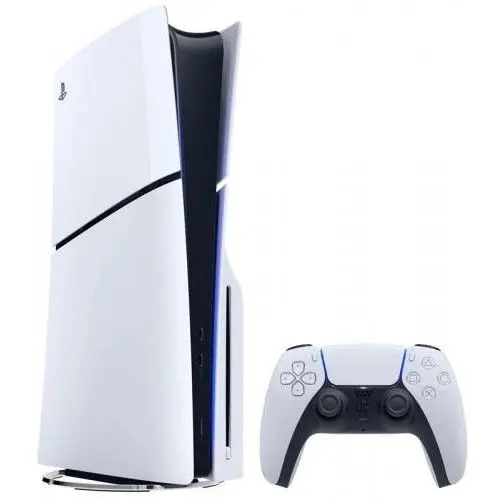
PlayStation won't turn on? We repair it in Sacramento
When a PS5 or PS4 will not start, the cause can be as simple as a bad cord or as serious as a fault on the main board. At RepairHub we diagnose and repair PlayStation consoles that will not turn on at our shop in Citrus Heights.
What it looks like
- No lights and no sound when you press the power button.
- The console beeps, the light flashes, and it shuts off right away.
- The light stays on, but nothing shows on the TV and the fan never spins up.
- It turns off during a game and will not start again until it cools down.
What you can try first
- Plug the console straight into a wall outlet, not a power strip, and try a different power cord if you have one.
- Unplug it for a few minutes, then plug it back in and try again.
- Try safe mode on a PS5 or PS4: with the console off, hold the power button until you hear a second beep, then connect the controller with a USB cable.
- If it shut off while hot, let it cool and give it room to breathe. Do not keep restarting it.
If none of that works, the problem is inside the console.
What the repair involves
- Free diagnostic: we test the cord, the power supply and the board.
- Estimate: we explain the cause and what the repair involves before any work starts.
- Repair: depending on the cause, we replace the internal power supply, clean the cooling system, or repair the fault on the board.
- Test: we run a game for a while to make sure the console stays on before you pick it up.
If your PlayStation runs hot before it shuts down, see also our PlayStation cleaning page.
What to bring
Bring the console and its power cord. Tell us what happened before it died, for example a storm, a move or a spill.
Check your price
Pick your console and the problem in our repair cost calculator, or call us and bring it in for a free diagnostic. See also our PlayStation Repair page.
Check the price for my PlayStation