Seven Signs Your Phone Battery Needs Replacing

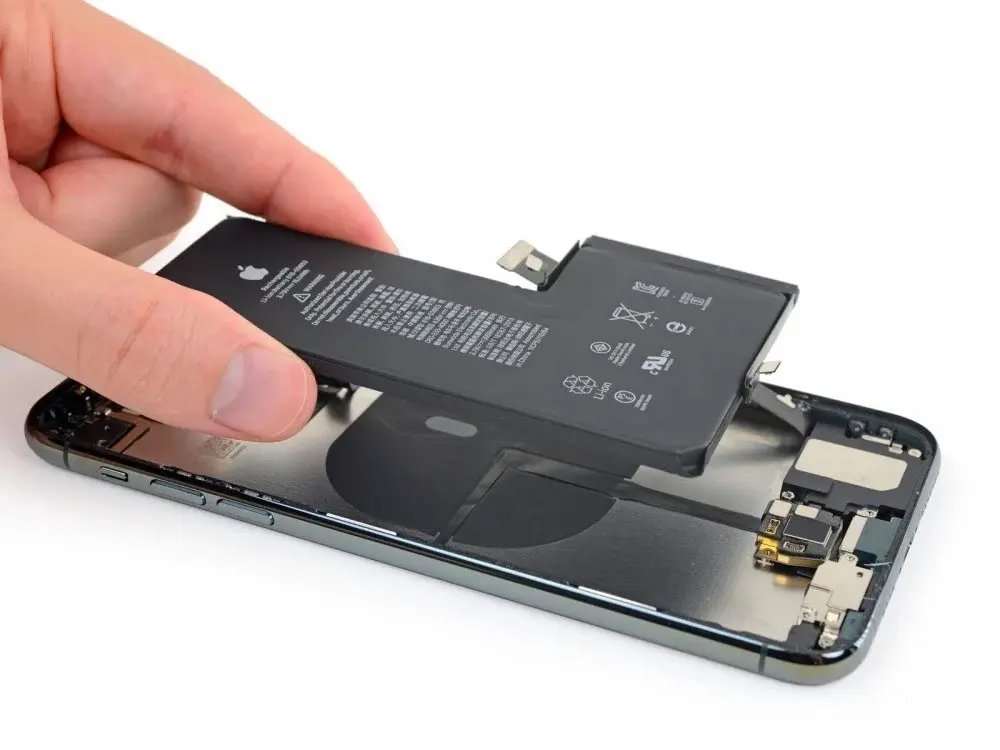
Phone batteries are consumable parts. Every charge cycle wears them a little, and after a couple of years of daily use most of them hold noticeably less than they did new. That is normal. The question is when “a bit worse” turns into “time for a new battery”, and whether the phone is telling you something more urgent.
The first sign on this list is the one you should never ignore.
1. The screen or back is lifting
If the screen is separating from the frame, the back glass bulges, or the phone rocks when you lay it flat, the battery may be swollen. A swollen lithium battery is a safety risk. Stop charging the phone, do not press on it to push it back, and do not keep it in a pocket or under a pillow. Bring it in for a battery replacement as soon as you can.
2. It shuts down with charge left
The phone shows 20 or 30 percent and then suddenly turns off, often in the cold or when you open the camera. A worn battery cannot deliver enough power during short spikes in demand, so the phone shuts itself down to protect the hardware. Plugging it in usually brings it back with a percentage that makes no sense.
3. The percentage jumps around
Dropping from 40 to 10 percent in a few minutes, or sitting at 1 percent for a long time, means the phone can no longer estimate what is left. Worn batteries often behave this way.
4. You charge more than once a day
If your habits have not changed but you now need a charger at lunch, the battery has lost capacity. Check this one fairly: a new app, a weak signal area or a big software update can also drain a phone for a few days.
5. The phone feels slower
On iPhones, when the battery can no longer handle peak demand, iOS can manage performance to prevent unexpected shutdowns. That shows up as slower app launches, lower frame rates and a dimmer screen. A new battery removes the reason for that throttling. Android phones can behave in a similar way when the battery is weak.
6. It gets warm while doing very little
Some warmth while charging or gaming is normal. A phone that runs warm while sitting in your pocket, or gets hot during a normal charge, deserves a check. Heat is hard on batteries and can point to a battery that is failing.
7. The phone tells you
Both iPhone and many Android phones report battery condition.
On an iPhone
Go to Settings, then Battery, then Battery Health (on some versions, Battery Health and Charging). You will see a Maximum Capacity percentage. Apple rates its batteries to keep about 80 percent of their original capacity after a set number of full charge cycles under normal conditions, so a reading below 80 percent means the battery is past the point Apple designs for. If you see a “Service” message there, iOS has flagged the battery itself.
Not sure how to read your number? Our iPhone battery health check takes your model and percentage and tells you whether to replace now, soon or not yet.
On Android
It depends on the brand. Samsung Galaxy phones have a battery check inside the Samsung Members app, under diagnostics. Some newer Pixel and Samsung models also show battery health in Settings. If your phone does not show it, the signs above are your best guide.
What does not need a new battery
Before you replace a battery, rule out a few common causes of drain:
- an app stuck running in the background (check the battery usage list in Settings)
- very low signal, which makes the phone work harder
- a software update that is still indexing in the first day or two
- a damaged charging cable or a worn charging port, which can make it seem like the battery does not charge
If the phone only charges when the cable is held at a certain angle, that is the port, not the battery. See our guide on phones that only charge at one angle.
Replace the battery or the phone?
If the rest of the phone works well and still gets updates, a battery replacement is usually the simplest way to get your old battery life back. Our older article on whether it is worth repairing an old gadget goes through the bigger decision.
Battery replacement in Citrus Heights
RepairHub replaces batteries for the iPhone, Samsung Galaxy phones, iPads, MacBooks, Apple Watch and more. We are at 6201 Greenback Ln Suite A in Citrus Heights, walk-ins are welcome and the diagnostic is free. If you are not sure it is the battery, we can check that first.
More details are on our iPhone battery replacement and Samsung battery replacement pages. To get a number, open the repair calculator for an iPhone battery or choose your device there. See our warranty page for how battery replacements are covered.